 HueWalls
MiniMax H3-Image on Hugging Face: 4K in 64s, 4MP in 13s
Tested MiniMax H3-Image through its Hugging Face Space: 64s for a 16MP image, 13s at 4MP. The HF inference API does not serve it, and the free quota allows one 4K image per day.
MiniMax released H3-Image on November 10 and opened the weights the same day. The launch material leads with "4K, 10 seconds, open weights". The question we actually care about is narrower: can this model produce wallpaper at a useful rate, and what does it cost in wall-clock time when you call it through Hugging Face?
What follows is one test run from a single machine, covering three configurations, the real output sizes, and one quota trap that is easy to hit. It does not rate image quality — I have not reviewed each output frame by frame, so every number below is something you can reproduce.
Test setup
| Item | Value |
|---|---|
| Machine | Mac (client only, the model runs remotely) |
| Python | 3.13.12 |
| Client | gradio_client 2.7.2 |
| Endpoint | Hugging Face Space MiniMaxAI/minimax-h3-image (zero-a10g) |
| Account | Free Hugging Face account |
| Fixed params | seed=42, enhance=False, reasoning_effort=low |
Why the Space, not the HF inference API
Hugging Face does expose a general inference API, but this model is not on it. The model metadata returns an empty inferenceProviderMapping, and a direct call to the router answers:
HTTP 400
{"error":"Model not supported by provider hf-inference"}
For comparison, the same lookup on FLUX.1-schnell lists fal-ai, wavespeed and deepinfra. H3-Image is a 331B-parameter dense DiT with 68.65 GB of BF16 weights, which is not something a serverless provider will keep warm, so MiniMax ships a Gradio Space as the free entry point instead.
The Space exposes a single endpoint, /generate, and it is enough to produce images directly:
from gradio_client import Client

client = Client(
    "MiniMaxAI/minimax-h3-image",
    token=open("/path/to/hf_key").read().strip(),
)
image_path, seed, prompt = client.predict(
    prompt="a quiet alpine lake at blue hour",
    images=[],
    aspect="16:9",
    resolution="16 MP",
    seed=42,
    randomize=False,
    enhance=False,
    reasoning_effort="low",
    api_name="/generate",
)
One detail worth flagging: the current gradio_client expects token, not the older hf_token shown in many examples. Passing the old name raises a TypeError before any request is sent.
Results
Same parameters, one image per configuration:
| Settings | Actual output | File size | Generation time |
|---|---|---|---|
| 16:9 / 16 MP | 5472×3072 (16.81 MP) | 21.7 MB | 63.9 s |
| 9:16 / 4 MP | 1536×2720 (4.18 MP) | 7.0 MB | 18.2 s |
| 16:9 / 4 MP | 2720×1536 (4.18 MP) | 4.5 MB | 12.8 s |
Add roughly 4–9 seconds to connect to the Space before generation starts; that part depends on how busy the queue is.
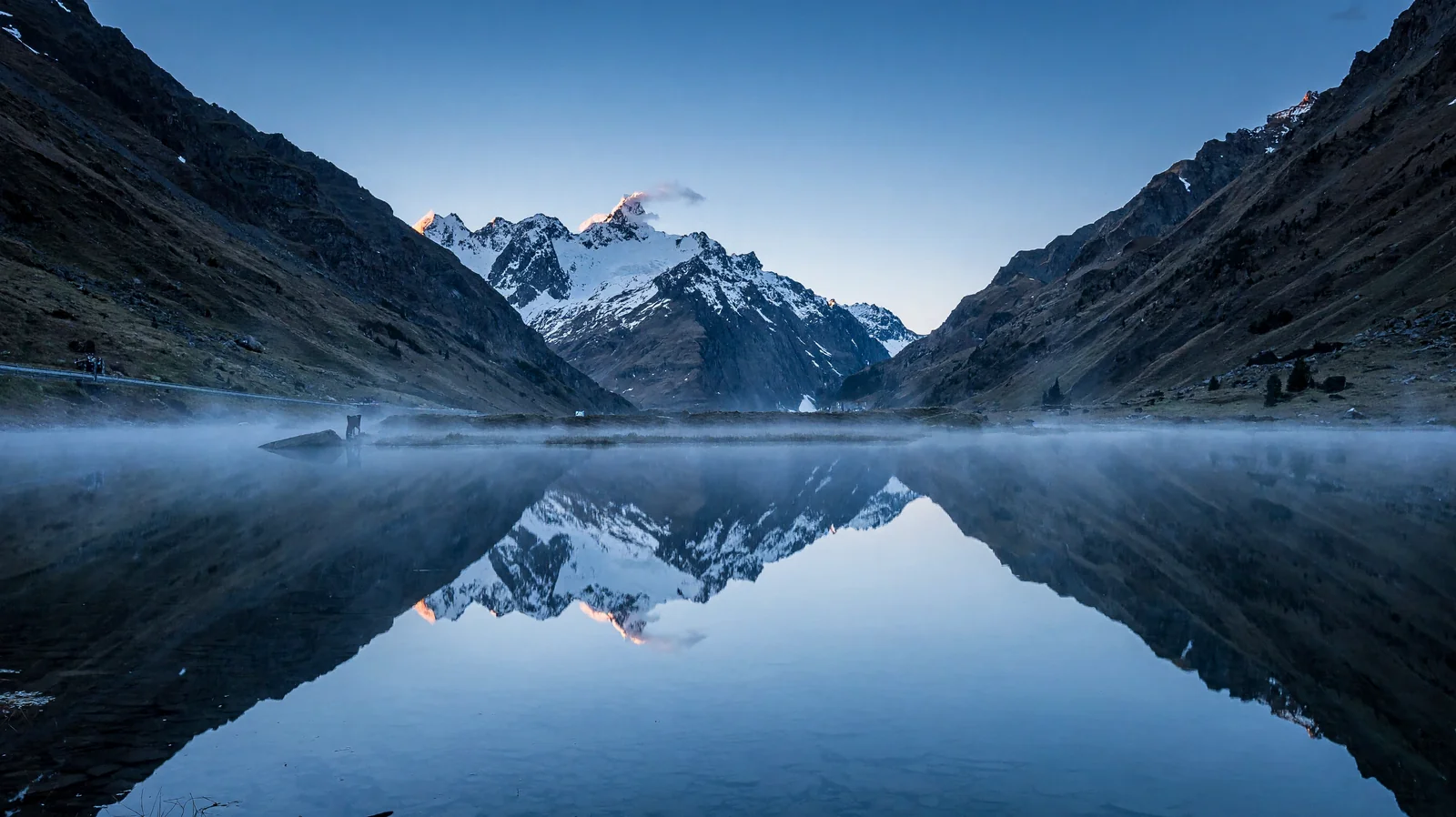
16:9 / 16 MP: 5472×3072, 21.7 MB, 63.9 s
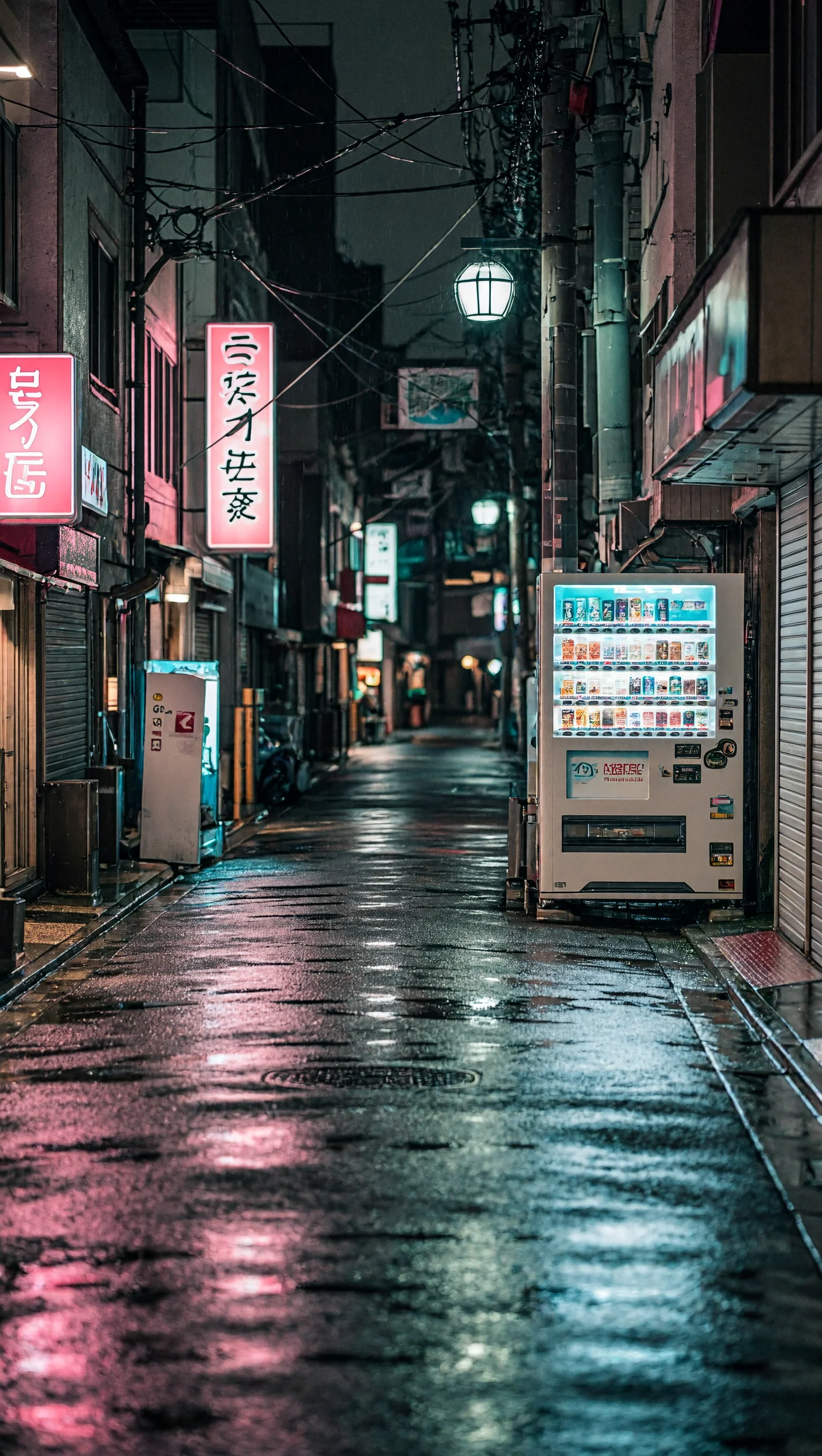
9:16 / 4 MP: 1536×2720, 7.0 MB, 18.2 s
What the numbers say:
- Time tracks total pixels, not aspect ratio. Both 4 MP runs are 4.18 MP; portrait took 18.2 s and landscape 12.8 s, which looks more like queue noise than a systematic difference.
- 16 MP costs about 4–5× the time of 4 MP. Slightly better than linear, but that is the order of magnitude.
- Output sizes are predictable and all multiples of 16, matching the tiers the model documents, so no upscaling step is needed.
MiniMax quotes a P50 of 16 seconds (10.3 seconds in Highspeed mode); we measured 64 seconds. That gap more likely comes from the shared ZeroGPU instance and queueing than from single-card inference time — but we did not verify it on a dedicated GPU, so treat that explanation as unconfirmed.
The free-quota trap
This is the part that actually blocks a workflow.
The second image, 9:16 at 16 MP, was rejected outright:
AppError: You have exceeded your free ZeroGPU quota (278s requested vs. 61s left).
Try again in 23:58:35.
Read the bracket carefully. ZeroGPU bills requested time, not actual generation time. A single 16 MP request reserves 278 seconds, and a free account gets roughly 300 seconds a day — so one 16 MP image per day. The first image finished in 63.9 seconds and still cost the full 278.
At 4 MP a request costs about 70 seconds, so the same daily allowance covers three or four images. Anything beyond that means HF PRO (listed at 40 minutes a day) or the paid MiniMax API.
What this means for wallpaper
| Use case | Suggested tier | Why |
|---|---|---|
| Phone wallpaper | 4 MP portrait (1536×2720) | Covers 1080×2340 with room to spare; 18 s per image |
| 2K desktop | 4 MP landscape (2720×1536) | Larger than 2560×1440; 13 s per image |
| 4K desktop feature | 16 MP landscape (5472×3072) | The only tier that qualifies; 64 s and a full day of quota |
Everyday batches should run at 4 MP: a quarter to a fifth of the time, and the quota goes roughly three times further. Reserve 16 MP for features that genuinely need 4K. This recommendation is based on size and timing only; quality is still an open question.
What was not tested
- Image quality: three images were produced, but there was no subjective scoring and no 4 MP vs 16 MP crop comparison. This post makes no quality claim.
- Stability: one image per configuration at a fixed seed. Repeatability and variety are unverified.
- Pricing: the ¥0.2261 per 4K image figure comes from launch coverage, not from our own paid API billing.
- Concurrency: not measurable on a free Space quota, and queue behaviour was not recorded.
Takeaway
- H3-Image runs on Hugging Face, but only through the official Space's Gradio API — the general inference API does not serve it.
- 16 MP at 16:9 took 64 seconds; 4 MP took 13–18 seconds.
- Free quota is billed by requested time, so one 16 MP image consumes a full day.
- For wallpaper production, 4 MP is the practical default; 16 MP is for 4K desktop features only.